

Digital signage for municipalities and public administrations
Your municipality on screen
and in voice
An interactive information display where citizens easily find services, notices and documents. The built-in voice assistant answers in Bulgarian, opens the section they need and points to exactly where to touch.
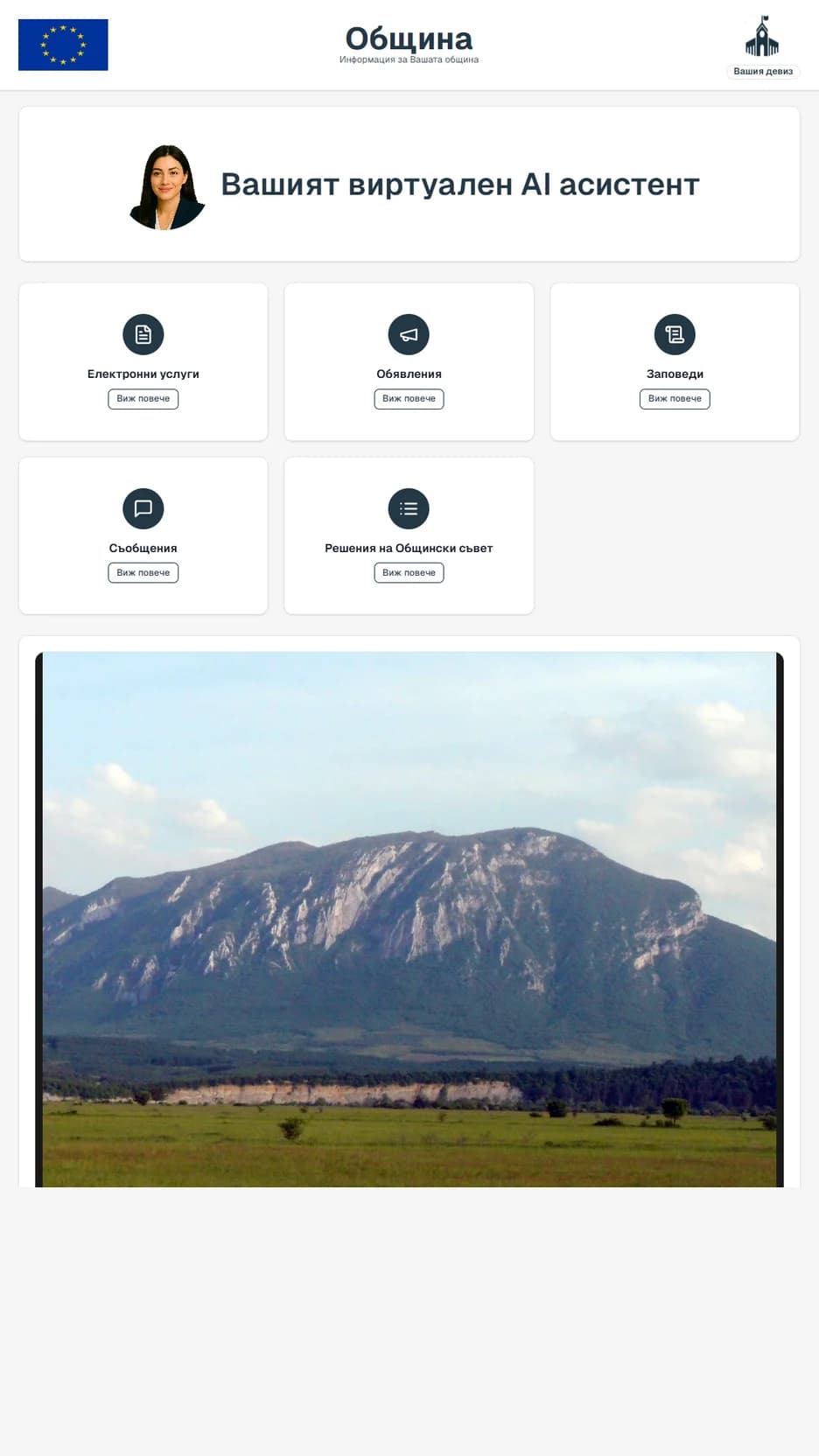
locations across Bulgaria
Already running in municipalities and national agencies. The same screen, the same console, the same voice.
- Social Assistance Agency
- Employment Agency
- Vratsa Municipality
- Miziya Municipality
- Oryahovo Municipality
- Your municipality or administration
In three easy steps
Nothing sits between the clerk and the citizen — no IT department, no waiting. Here is the full loop.
A clerk publishes
Opens a browser, uploads the document. A minute's work — no IT ticket, no waiting.
The board shows it
It is on screen the same minute, ordered by category and date. The board maintains itself: notices past their date are removed automatically.
The assistant explains
Citizens ask out loud, the way they would ask a clerk at a desk. The assistant answers in plain language and opens the exact section or document in front of them, ready to print on the spot.
Real screens
This is what a citizen sees
Every image here is captured from the display running in Vratsa Municipality. Not mockups, not illustrations. The product itself.
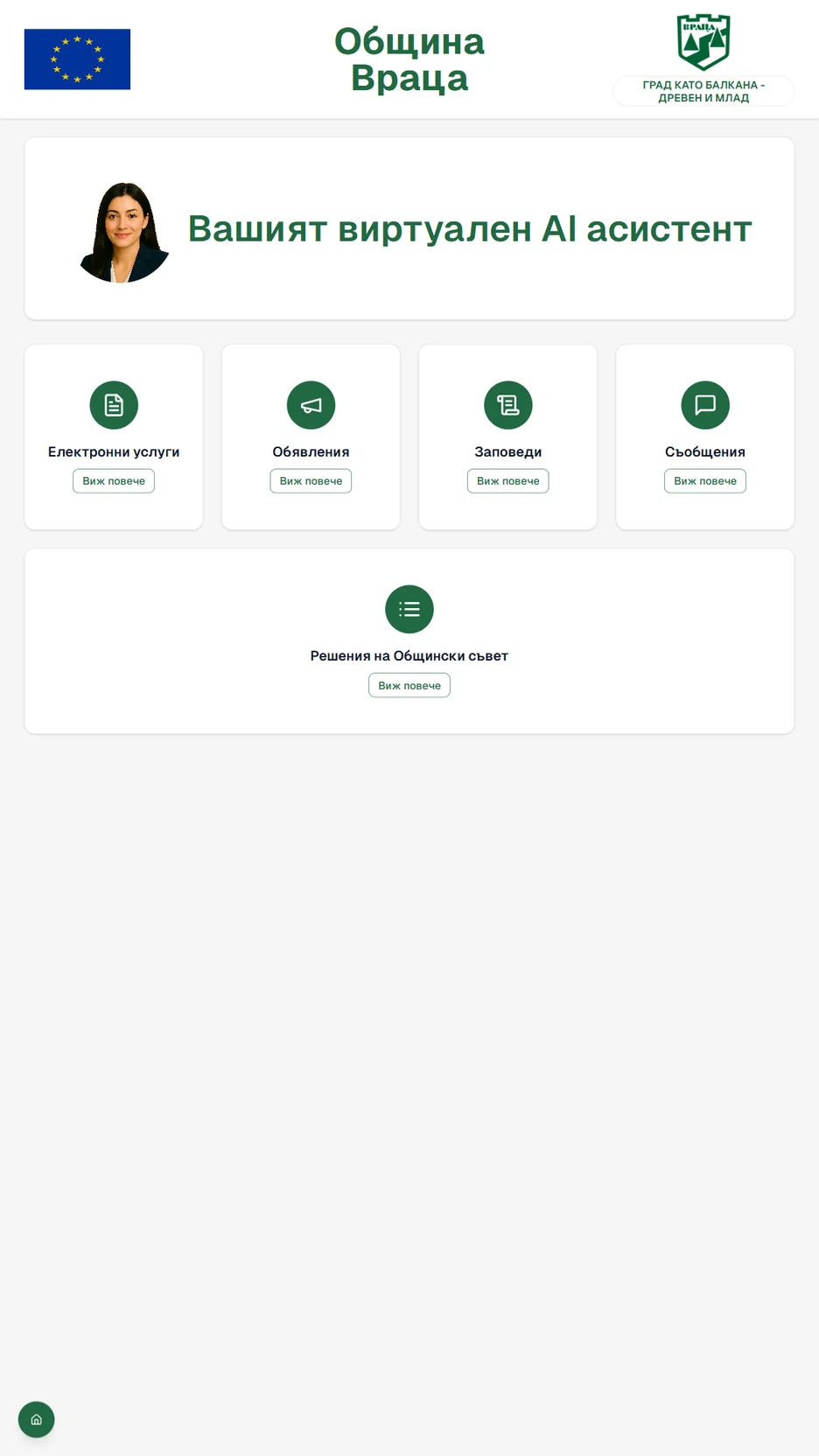
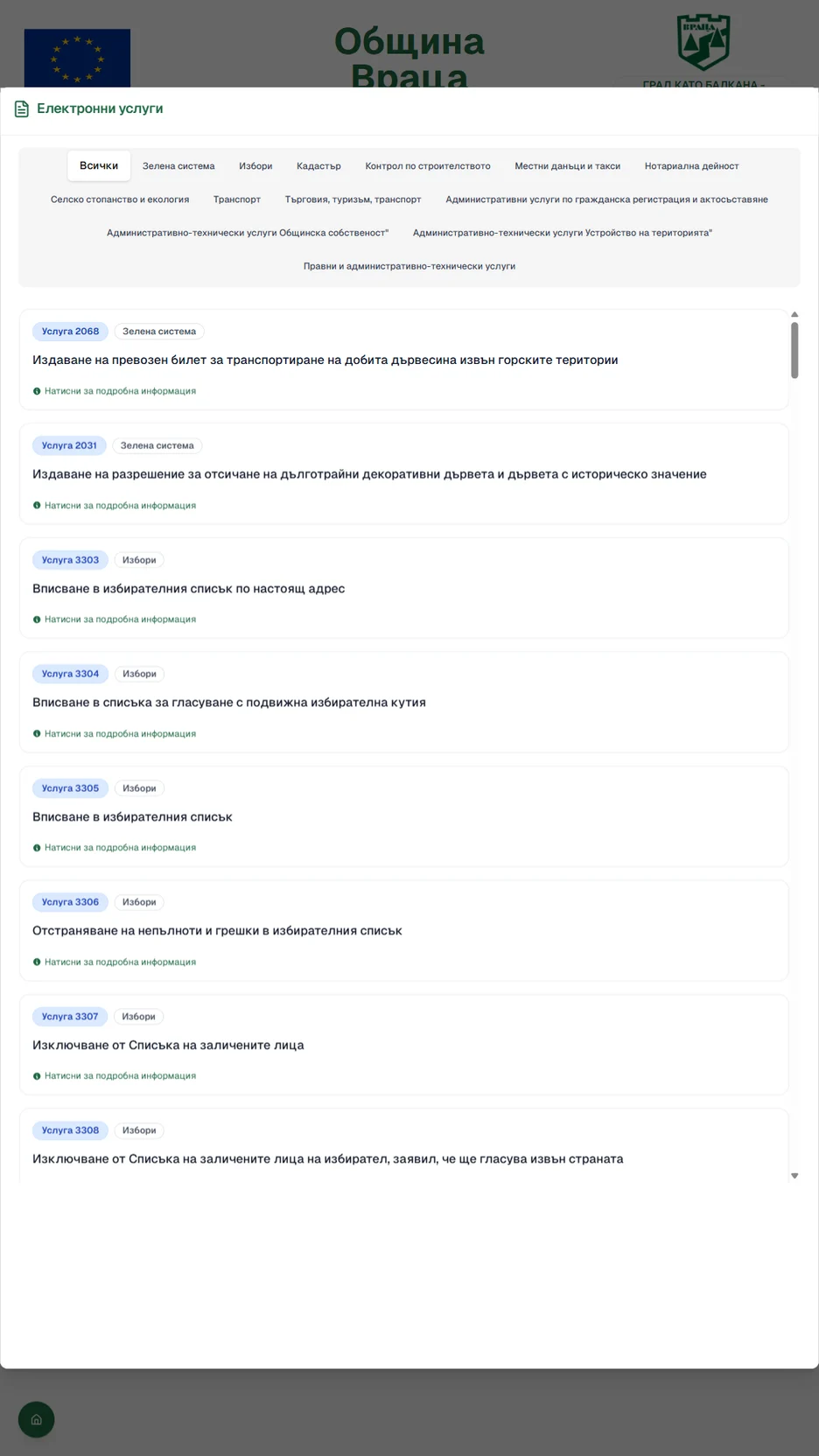
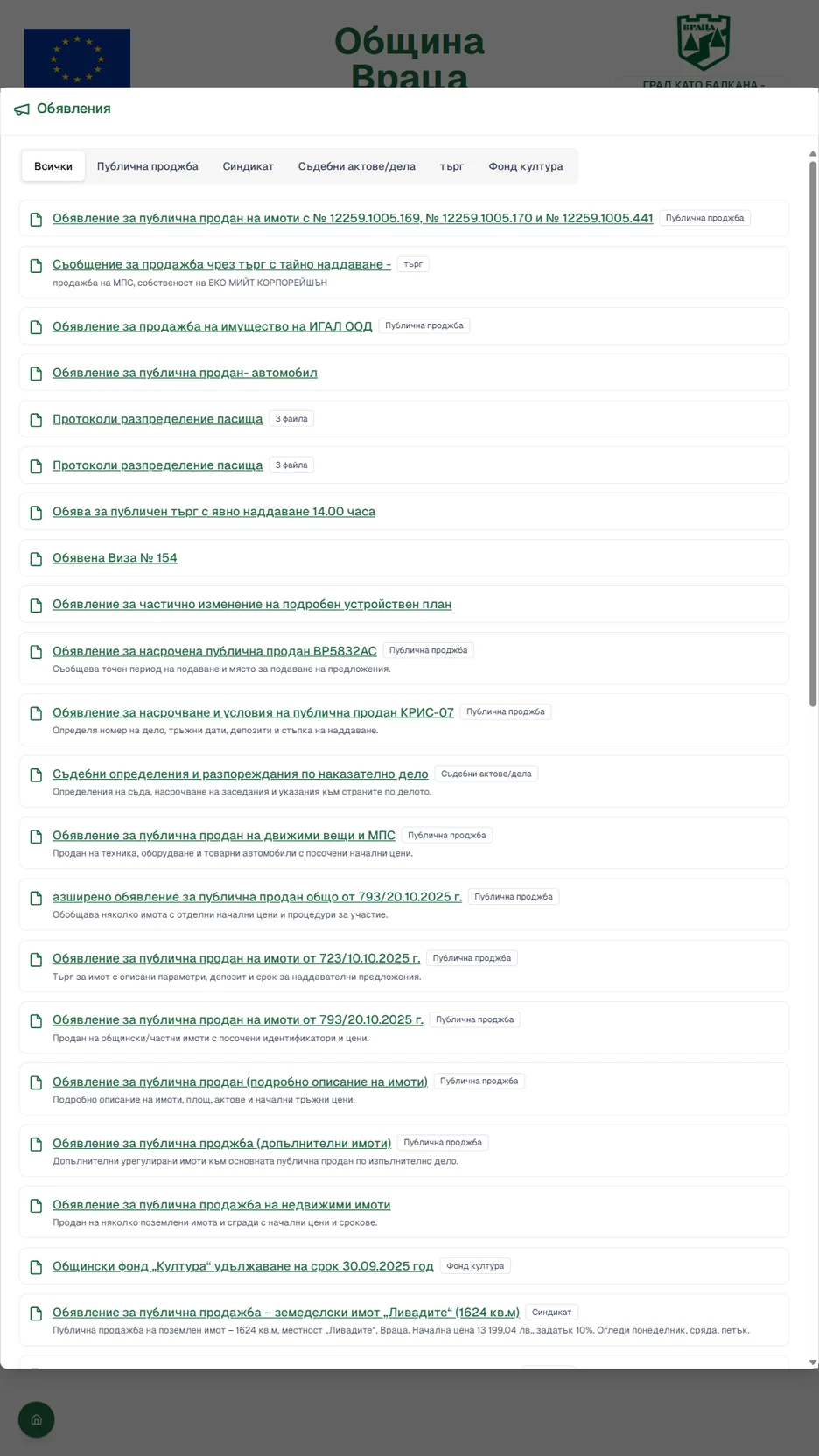
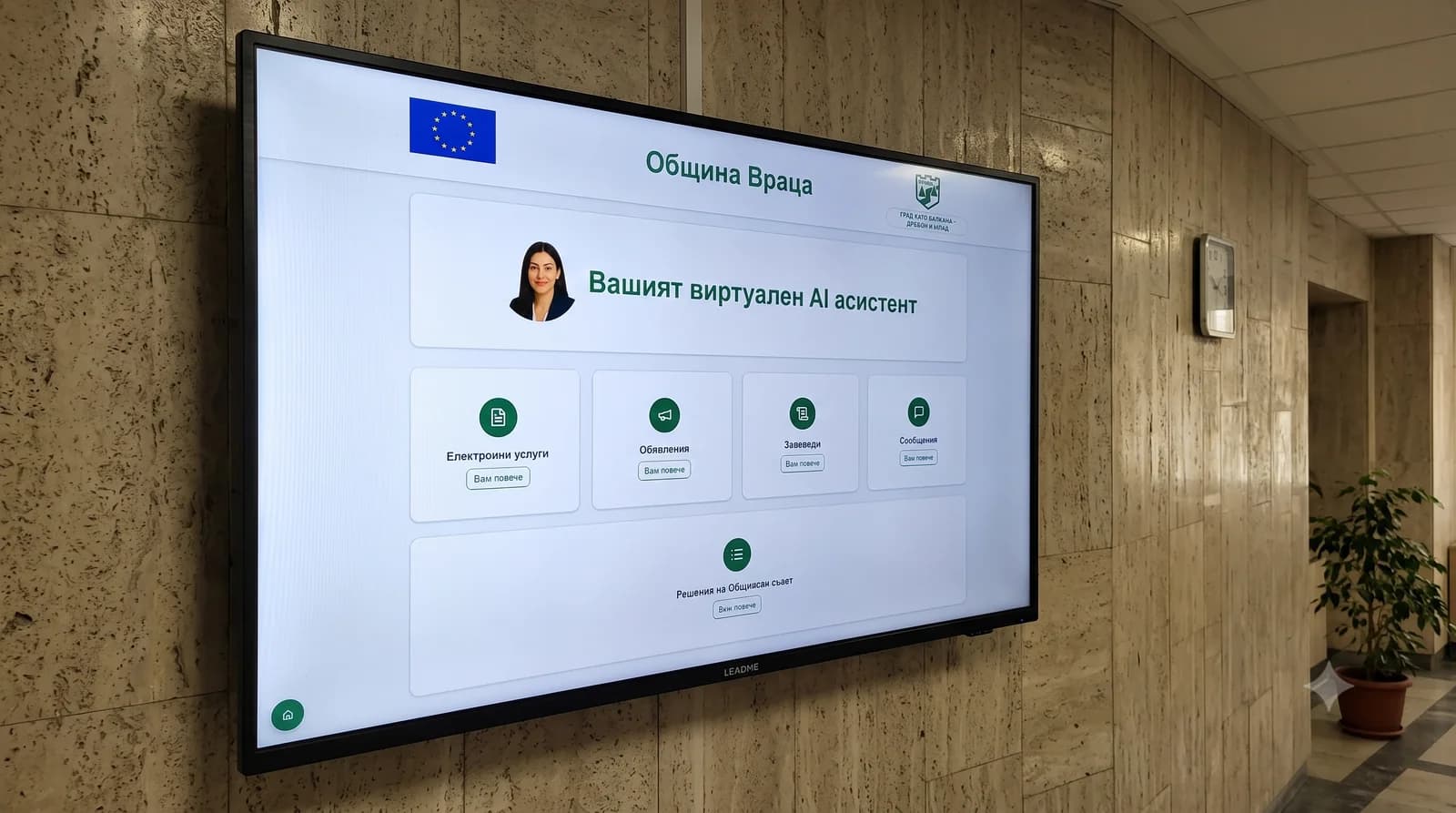
The home screen: ordered and legible
E-services, announcements, orders, notices and council decisions. Each category has its own section. The assistant sits at the top, in the municipality's own logo and colours. The layout is clear enough for any citizen to find their way at a glance, without asking a clerk.
Services, one touch away
The full register of administrative services is organised into clear, easy-to-navigate categories — cadastre, local taxes, civil registration, social services and more.
Descriptions, requirements and the documents a citizen needs to bring are pulled directly from IISDA and refresh automatically, so the information never goes out of date.
Everything that matters — current, in one place
Announcements, notices and orders — all the important information, ordered clearly by category and date.
A post can carry text, images and documents. Staff set how long it stays visible, and once that period ends the system takes it down from the board or archives it automatically.
Citizens are left with information that is current, useful and easy to find.
Managed straight from the browser
A designated member of staff gets a secure account for the web console. From there they publish, edit and archive what the board shows, from any office computer.
No extra software to install and no involvement from IT — it is all handled in a browser.
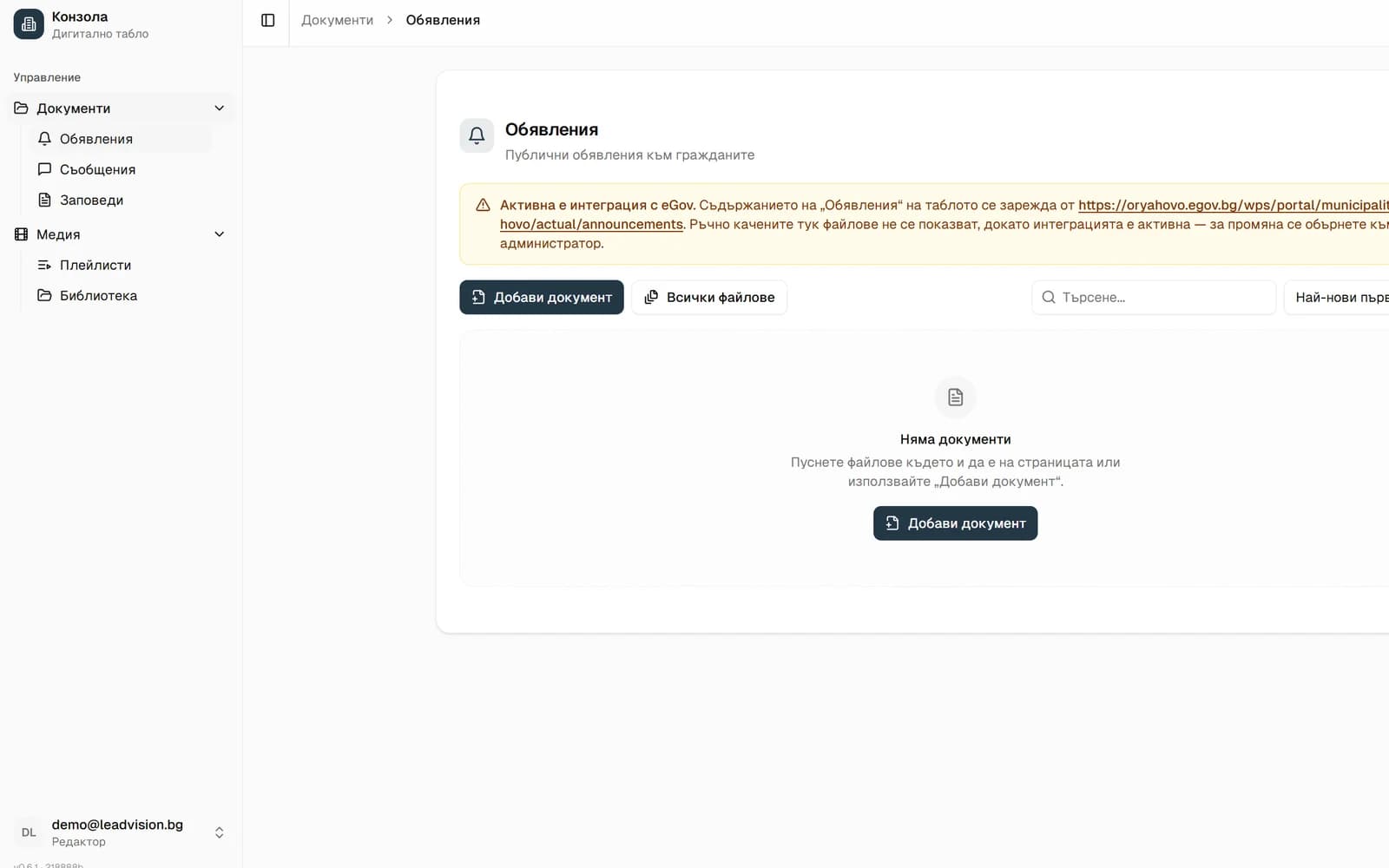
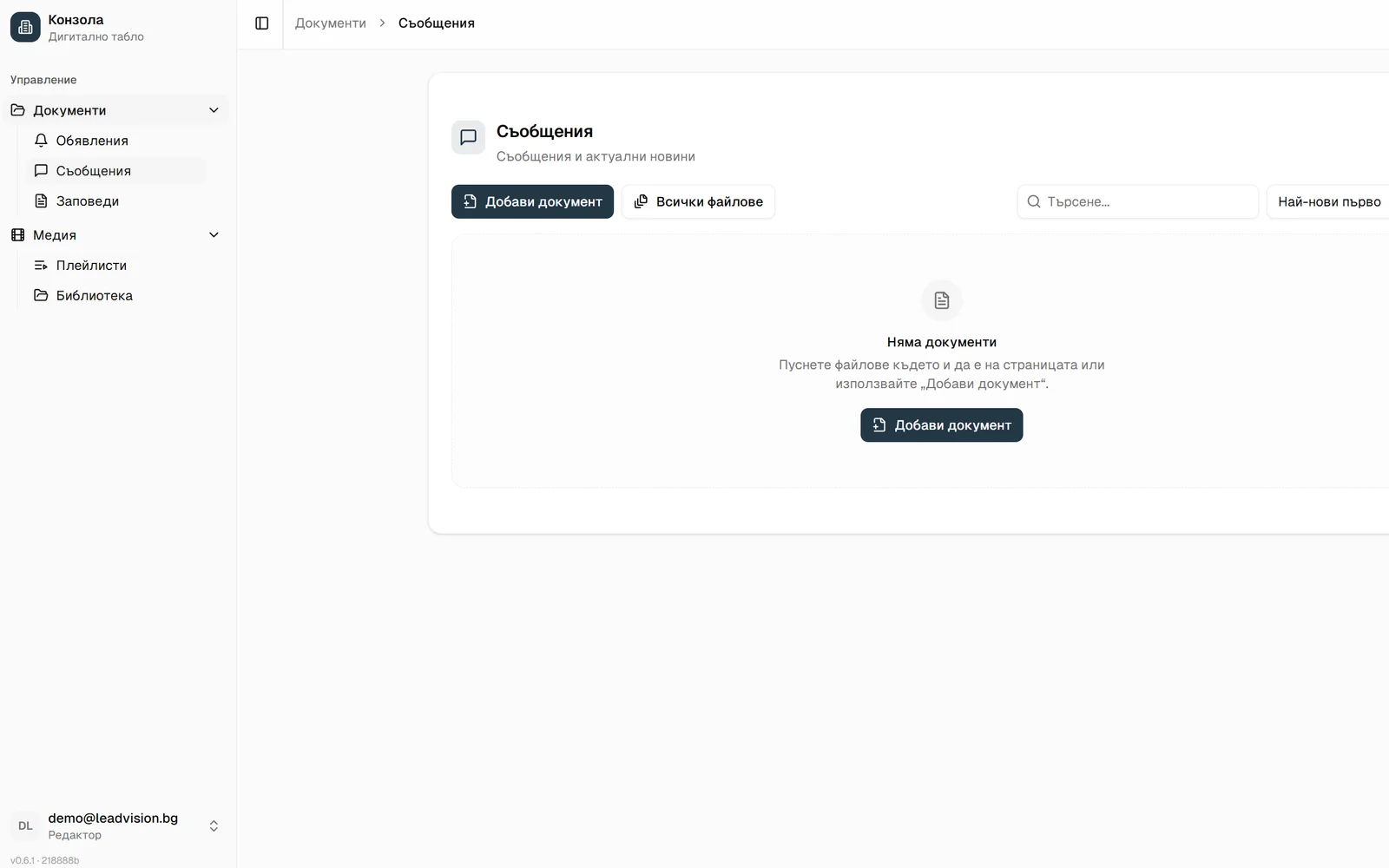
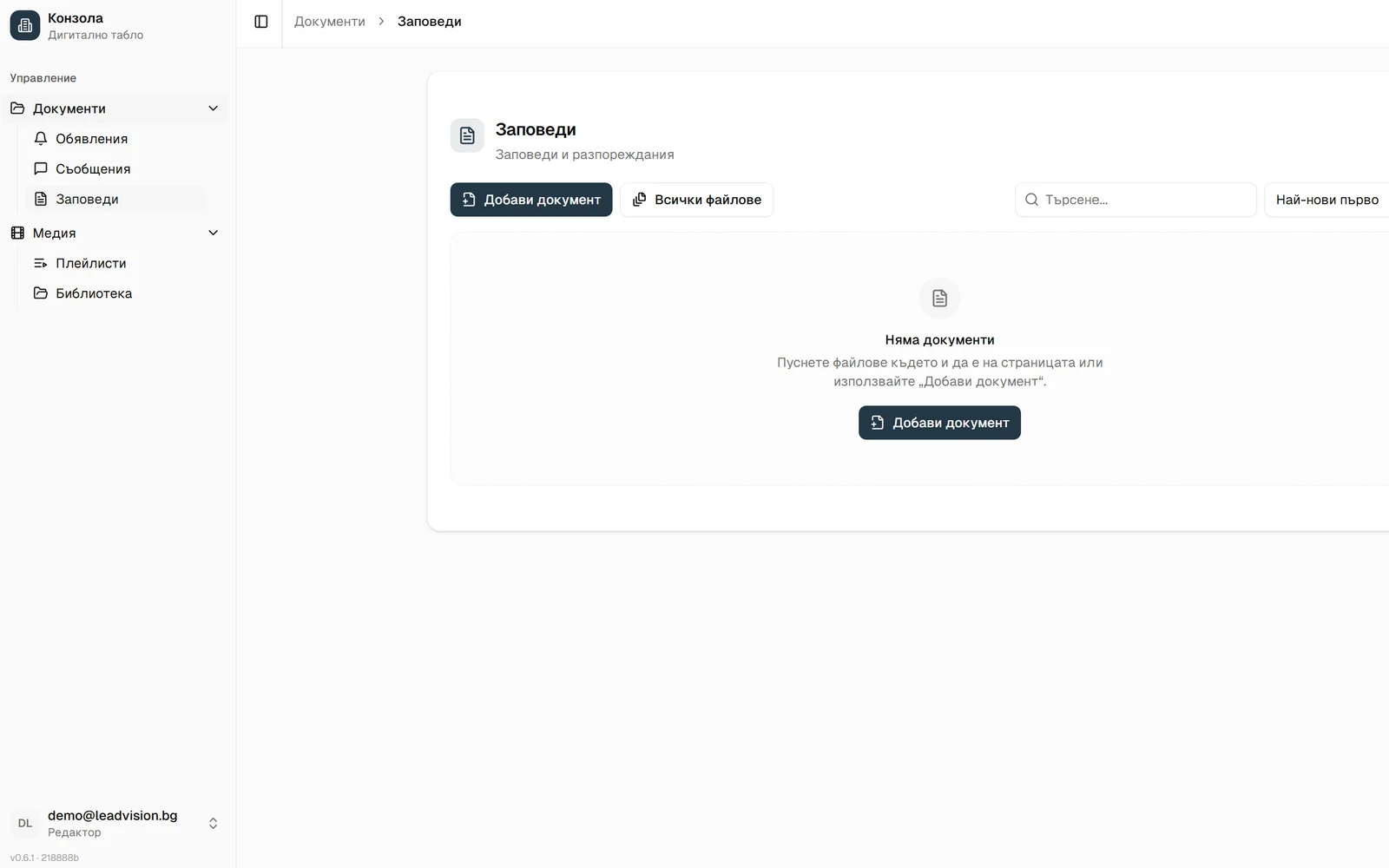
The editor's workspace: upload, search and visibility deadlines. On this location the board is fed from eGov, so the list fills itself.
You decide what a citizen reads today
Upload the document and seconds later people at the entrance are reading it. No ticket to anyone, no waiting, no explaining it over the phone. Whatever you publish is what stands on the screen.
Hear what a citizen hears
The real assistant voice from Vratsa Municipality. Whatever you upload, it says out loud.
Information arrives in time
Citizens see a notice while it still matters — before the deadline passes, while they can still act on it.
Out-of-date content removes itself
You set how long it stays visible, and once that period ends the system takes it off the board. Expired notices are not left in front of citizens.
The design stays protected
Staff manage content and nothing else. The logo, colours, typefaces and layout are set in advance and cannot be changed by accident.
Uploading a document is simple
Add a PDF, Word or Excel file straight through the web console, give it a title and publish. The document is immediately available to citizens on the information display.
Visibility deadlines
Set how long a document stays relevant. It takes itself off the screen afterwards instead of going stale.
Categories and search
Announcements are organised by category and date, with search across everything uploaded so far.
You arrange the playlists
Add photos and videos, then put them in the order you want with the mouse. You can even drag an image straight from another browser tab and upload it on the spot.
Live, no waiting
Every change appears on the town hall screen instantly. No refresh, no restart.
Centralised management
Every town hall gets its own screen, its own content and its own address. Staff sign in to the same system but see and manage only the information for their own locality.
We connect to what you already use
Nothing gets typed in twice. The display reads from the systems where your documents already live and puts them in front of citizens, in order.

IISDA
The full register of administrative services comes straight from iisda.government.bg. Citizens see the service with its exact description and the documents they need.

eGov
Announcements, notices, orders and council decisions are read from the municipality's portal on egov.bg. Published there, visible here.

WordPress
If the municipal site runs on WordPress, the display feeds from it. The news goes live on the site and on the screen at the same time.
Your own site
A custom site or an internal system? We point each section at its own source and test it on site before going live.
It connects to your systems too
Every section of the display runs on its own data source. That lets us add new integrations without changing or interrupting the others. You name the system the information should come from, and we connect it to the display.
- Cultural calendar: events, concerts and holidays on screen
- School and sports calendars
- Council sittings and agendas
- Local taxes and fees: deadlines and reminders
- Transport and timetables
- Budget, projects and public procurement
If the system is reachable online, we can almost always connect it. Tell us what you run and we will check it on the first call.
An assistant that speaks — and shows
Next to the display stands a voice assistant with a face: a 3D character on its own screen that wakes on a spoken word and greets citizens. It doesn't just answer, it drives the display while it talks.
The assistant works on site, next to the screen: a real voice, not a chat box.
Hear the assistant
A real voice from the system — this is how it sounds to citizens (Bulgarian).
Natural conversation
Citizens ask the way they would at a desk. The assistant replies naturally and politely.
Opens sections for them
“Show me the notices” and the display opens the section while the assistant explains out loud.
Points at the exact spot
The assistant can highlight a button or a service on the screen so it's clear where to tap.
Finds a service by number or name
“Service 1996” or “change of address”: the assistant finds it in the register and opens the details.
Knows what's on the screen
Before guiding anyone, the assistant checks what the display is showing and continues from there.
Ready for the next citizen
Between visitors it returns the display to the home screen, tidy like a fresh desk every morning.
Who it's for
Works anywhere there is a queue
The pattern is always the same: an institution with many documents, many visitors and few people at the desk.
Municipalities and town halls
Announcements, orders, council decisions and e-services at the entrance. Fewer questions at the desk and fewer phone calls about things already published.
One municipality — a screen for every locality
The municipality manages the content centrally, while every village and town hall has an information screen of its own.
Important information stays available on the spot, even when the town hall keeps limited opening hours.
Hospitals and clinics
Consulting hours, how appointments work, patient rights. The information staff otherwise explain ten times a day.
Schools and universities
Orders, admission rankings, timetables and events. Parents read them at the entrance instead of hunting through a website.
Transport and cultural venues
Stations, community centres and museums: timetables, programmes and directions on a screen a visitor understands at once.
Any desk with people waiting
If staff answer the same questions every day, the display and the assistant take most of them off their hands.
Professional displays built to work without a day off
We install on industrial 55-inch displays from Hikvision's pro series — or on your existing screen if it's compatible.
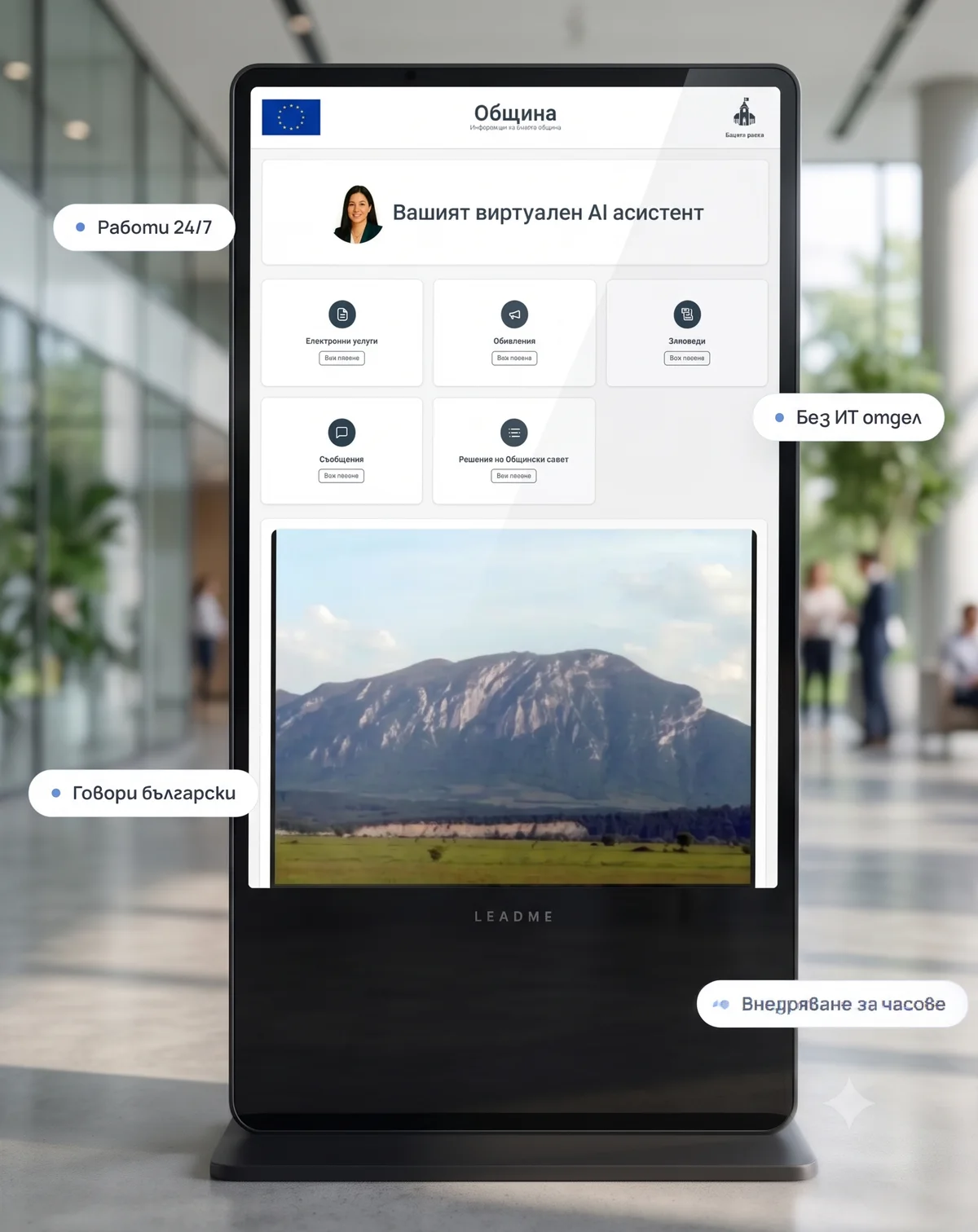
Hikvision DS-D6055UT-D(S)
Floor-standing totem — portrait
- 55″ touch screen in portrait — citizens tap and browse
- Stands at the entrance, no wall mounting
- The voice assistant runs on the device itself
Hikvision DS-D6055TL-B
Wall display — landscape
- 55″ 4K display for lobbies, corridors and service desks
- Landscape content layout, readable from a distance
- Designed for continuous operation
Both variants are managed from the same console — the content adapts to the screen's orientation.
From a call to a working screen — in hours
01
Your own address
Every municipality gets its own address like yourtown.leadme.bg — with its logo, colours and content.
02
Works on existing displays
Compatible with professional Android displays — often no new hardware needed.
03
A single day of training
If a clerk can attach a file to an email, they can publish to the display.
See the display with your own logo
Call or write to us — we'll prepare a demo with your municipality's content.
22 Zlaten Rog St., Lozenets, Sofia, Bulgaria